Apple has fixed the iPhone’s misfiring keyboard, but it’s time to ditch it for a better option
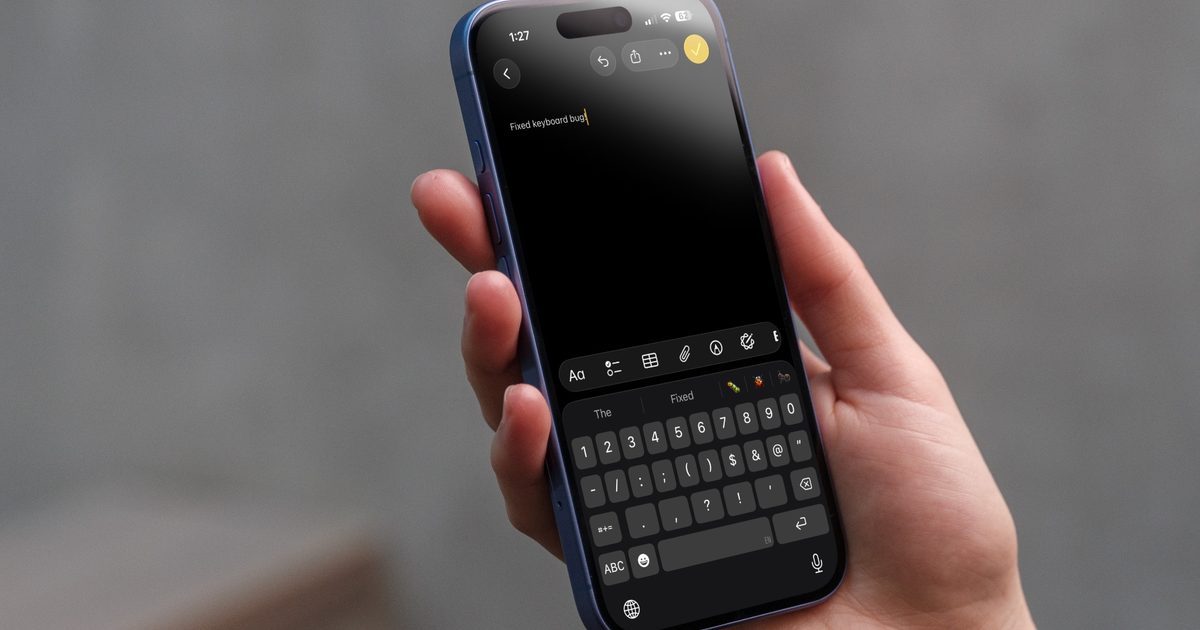
Apple has finally addressed one of the most annoying iPhone typing issues. With iOS 26.4, it fixed a bug that caused missed keystrokes when typing quickly, which made autocorrect far less reliable.
The update targets fast typers who saw letters fail to appear, throwing off entire words and confusing predictions. Testing shows fewer garbled phrases and more consistent input, especially when typing at speed.
But the broader experience hasn’t caught up. The iPhone keyboard continues to make odd substitutions, adapt poorly to user habits, and miss features that competing keyboards have refined for years. Apple solved the most visible flaw, but the everyday friction is still there.
What Apple actually fixed
The issue came down to missing characters during fast typing. Taps could register on screen without inserting a letter, which left autocorrect guessing from a broken starting point.
Michi NekoMichi
Fixing that gives the system a better foundation. Words now start closer to what you intended, so predictions land more often. Side by side testing shows fewer broken phrases and more stable results, though the improvement isn’t consistent across every word.
Errors haven’t disappeared, though. Single word mistakes still creep in, and some taps continue to produce the wrong character entirely, a separate issue that this update doesn’t address.
Where the keyboard still struggles
The deeper limitation sits in how Apple’s keyboard learns. It continues to rely on the same system introduced earlier, so long standing quirks carry forward.
Autocorrect can reinforce bad habits instead of fixing them. Accept a wrong suggestion once, and it may keep resurfacing later. Over time, your personal dictionary can drift away from how you actually write, which makes corrections feel less predictable.
Michi NekoMichi
That’s where third party keyboards like Gboard and Microsoft SwiftKey stand out. They lean harder on prediction, handle multiple languages more smoothly, and offer swipe typing that feels more accurate in daily use.
They also give you more control over how suggestions behave. You can fine tune inputs and avoid getting stuck with repeated mistakes, while Apple’s keyboard still feels comparatively rigid.
Why alternatives feel better
Installing iOS 26.4 makes sense if you’ve been dealing with dropped letters or broken words. It removes a real source of frustration, especially for fast typers who hit that bug often.
But your day to day typing likely won’t feel dramatically different. You’ll still correct words, double check messages, and work around quirks that interrupt your flow.
Switching keyboards is the more meaningful upgrade right now. Apps like Gboard and Microsoft SwiftKey offer stronger predictions and more flexibility without much setup.
You don’t need to commit long term. Try one for a few days and see how it handles your habits. That quick test will show you exactly what your iPhone keyboard is still missing.