


High-volume warehouses are unforgiving testing grounds for equipment. A printer that performs admirably in a small stockroom can falter badly when asked to produce thousands of labels a day, week after week, without pause. Distribution operations cannot afford that kind of failure, because a stalled printer stops shipments, delays trucks, and throws off schedules that were planned weeks in advance. Choosing an Xprinter label printer for this environment requires looking past headline specifications and focusing on the factors that determine whether a machine survives sustained industrial use.
Understanding What High Volume Actually Demands
Volume is not simply a bigger number. It changes the nature of the work. A warehouse printing three thousand labels a day needs a printer that can run for hours without overheating, reload quickly with large rolls, and maintain consistent print quality from the first label to the last. It also needs a machine that tolerates dust, vibration, and occasional knocks without developing faults. The demands are physical and continuous rather than occasional and intense. Recognizing this distinction is the first step toward choosing equipment that will genuinely hold up rather than merely meeting a specification sheet.
Duty Cycle as the Primary Selection Criterion
Duty cycle describes how much continuous printing a machine can handle, and in high-volume environments it matters more than almost any other specification. Xprinter industrial printers are rated for continuous operation, with robust feed mechanisms and thermal management that prevent the slowdowns lighter models experience under sustained load. Desktop printers, by contrast, are designed for intermittent use and may need rest periods during heavy shifts. Ignoring duty cycle is the most common mistake buyers make, and it usually results in a printer that works beautifully for three months and then begins failing regularly.
Print Speed That Keeps Pace with Dispatch Schedules
In a distribution center, printing speed directly affects whether trucks leave on time. Xprinter label printer industrial models deliver print speeds suited to high-throughput operations, producing labels rapidly enough that packing stations never queue up waiting. Speed also interacts with resolution, since running a printer at maximum output can reduce sharpness on dense barcodes. The practical approach is to choose a machine that offers enough speed at the resolution your barcodes require, rather than one that achieves its fastest output only under settings that compromise quality.
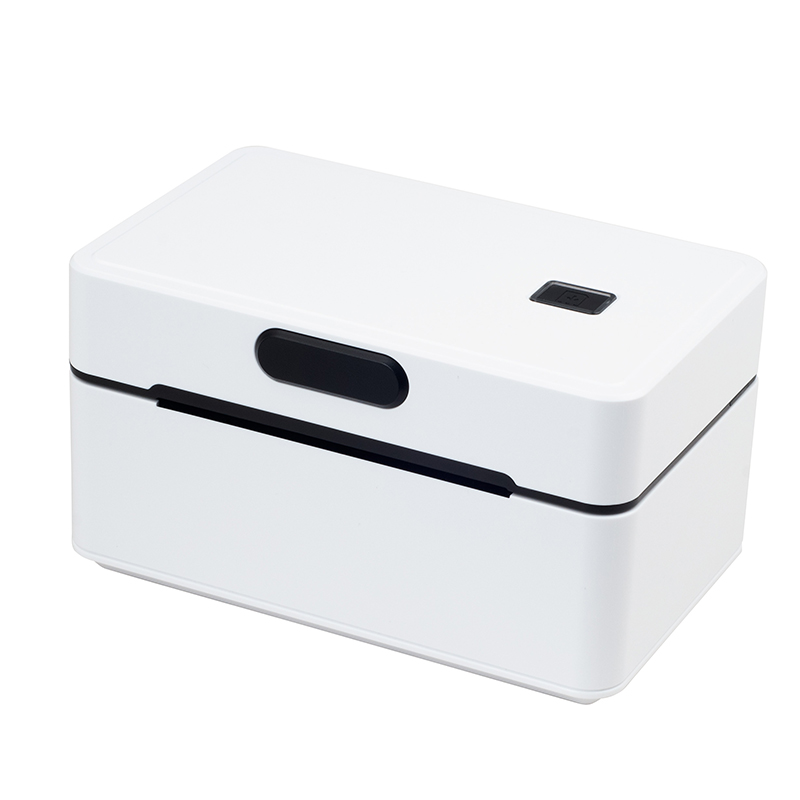
Media Capacity and Reduced Reload Downtime
Every time a printer runs out of labels, work stops. In a high-volume warehouse, frequent reloads create small but persistent interruptions that accumulate across a shift. Xprinter industrial printers accept larger roll diameters, which means fewer changes and longer uninterrupted runs. Media width capacity also matters, since distribution operations typically need four-inch labels for shipping and pallet identification. Checking the maximum roll size alongside the media width ensures the printer can handle the volumes and formats the operation actually uses, rather than requiring constant attention from staff.
Durability and Construction for Industrial Environments
Warehouse and distribution floors are hard on equipment. Dust from cardboard, vibration from forklifts, and the occasional bump are all part of daily life. Xprinter industrial printers feature metal chassis and protected internal components designed to withstand these conditions, unlike desktop models built primarily for clean office settings. Print heads and rollers are also engineered for extended service, which reduces both maintenance frequency and long-term operating costs. Paying attention to construction quality is not about aesthetics; it is about how long the machine will remain productive before it needs repair or replacement.
Connectivity and Integration at Scale
High-volume operations rarely rely on a single printer connected to a single computer. Labels are generated at receiving docks, packing stations, and dispatch areas, often driven by warehouse management systems that coordinate hundreds of daily transactions. Xprinter industrial models support Ethernet, USB, Bluetooth, and Wi-Fi connections, allowing multiple workstations to share printers or to place dedicated units throughout the facility. Compatibility with common command languages and operating system drivers ensures smooth integration with enterprise software, which is essential when labels must be generated automatically as part of a larger workflow.
Matching the Model to the Operation
Selecting an Xprinter label printer for high-volume warehouse and distribution work comes down to a handful of priorities: duty cycle, print speed, media capacity, construction quality, and connectivity. Industrial models address all five, while desktop and mid-range machines serve lighter operations well within their limits. The most reliable approach is to calculate peak daily volume, identify the largest and most demanding label format, and then choose a printer with headroom above those requirements. When the machine is properly matched to the workload, it becomes an unremarkable but essential part of the operation, running quietly through every shift without becoming the reason shipments fall behind.
Comments (0)