
Remember me
I switch between my MacBook and a Windows 11 PC almost every day for work. As much as I enjoy using macOS, there's no denying it feels cleaner and far more polished than Windows. Even so, whenever I want complete control over my computer and the freedom to customize it the way I like, I always find myself going back to my Windows PC.
Microsoft has certainly made Windows 11 look more modern than its predecessors, but the experience still feels unfinished. The Start menu looks sleek and contemporary; then you open something like the Properties window, and it's like you've been teleported back to the Windows 7 era. That inconsistency had been bothering me for a long time until I stumbled across a free tool that let me reshape windows exactly the way I wanted.
 Related
I made Windows 11 look like Windows 7 and it actually works better
Related
I made Windows 11 look like Windows 7 and it actually works better
Using Windows 7 in 2025 isn’t practical, so I did the next best thing.
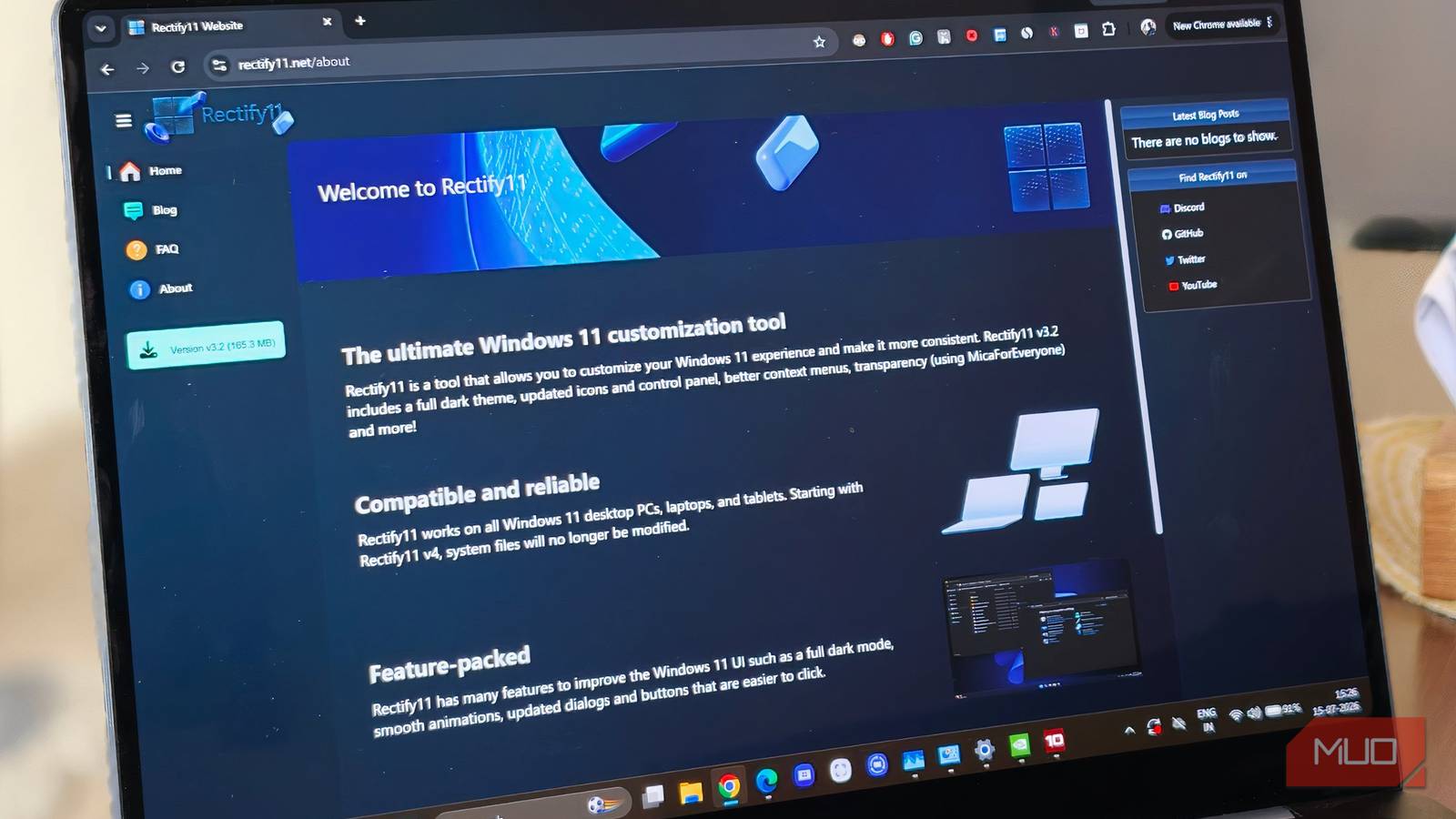
Windows 11 has an identity crisis, and Rectify11 fixes it It's amazing how much better Windows 11 looks with a little consistency Credit: Rectify11
I've been running Rectify11 on my Windows 11 PC for a while now, and it's one of the few customization tools that actually makes the operating system feel more complete rather than just changing it for its own sake. If you prefer Windows exactly as Microsoft designed it, I completely understand. Personally, though, I want my PC to look and feel more polished. That's probably because I spend so much time using macOS — I’ve grown accustomed to its clean, minimal design, and it's hard to go back to an OS that feels visually inconsistent once you've experienced that.
That's exactly where Rectify11 comes in. Rather than overhauling Windows with visual bells and whistles, it smooths out all the rough edges Microsoft has left behind. Those dated menus, mismatched dialog boxes, and legacy UI elements that still look like they're from another decade? Rectify11 gives them a modern makeover that fits right in with the rest of Windows 11.
It also replaces the scattered mix of icons with a cleaner, more consistent icon pack, while extending a proper dark theme to older parts of the operating system that Microsoft never bothered updating. Even classic Control Panel pages blend in much better instead of sticking out like sore thumbs.
The changes don't stop there, either. The recovery environment, File Explorer dialogs, System Properties, action boxes, and several other forgotten corners of Windows all get updated icons, modern fonts, and WinUI 3-inspired styling. It's the kind of polish that makes you wonder why Microsoft hasn't done this itself. In many ways, Rectify11 feels like it's finishing the last 10% of Windows 11 that Microsoft never quite got around to.
A prettier Windows 11 is only a few clicks away The polished look is tempting, but there are a few risks worth knowing about Credit: Rectify11
If you're thinking about trying Rectify11, getting started is surprisingly straightforward. Unlike custom Windows builds that require a full reinstall, Rectify11 simply installs over your existing Windows 11 setup. Better yet, you're not forced into a complete overhaul — you can pick exactly what you want to install.
One tip from personal experience, though: don't accidentally press Alt + F4 while the installer is running. I did it purely on muscle memory and only then realized it could interrupt the installation before it finished. Thankfully, I caught myself just in time.
That said, I'd think twice before installing it on your main PC. As impressive as Rectify11 is, it's still a community-made project, and bugs can happen. In the worst-case scenario, you could end up with an unstable system or even lose important data if something goes wrong. If you're planning to try it, make sure you have a recent backup first — or better yet, experiment on a second PC.
That's the trade-off with tools like this. They can make Windows look and feel significantly better, but you're also modifying parts of the operating system that Microsoft never intended users to touch. You might never run into a problem, or you could find yourself chasing down strange bugs after a future Windows update. For some people, the cleaner, more cohesive look is well worth the risk. Others would rather stick with Microsoft's default experience. It all comes down to how much you value customization over stability.
 Related
Before you hit install, know what you're signing up for
Related
Before you hit install, know what you're signing up for
So, would I recommend Rectify11? I think that depends on what you're looking for. If Windows 11's mix of modern and outdated design has been bothering you, there's a good chance you'll appreciate what Rectify11 brings to the table. It does an impressive job of making the operating system feel more cohesive, and after using it myself, I can definitely see the appeal.
That said, it's not something I'd suggest installing without thinking it through. You're still making changes to core parts of Windows, so it's worth backing up your files first and understanding the potential risks. While many people have a smooth experience, there's always the possibility of bugs or compatibility issues, especially after future Windows updates.